• Skip to primary navigation
  • Skip to main content
Contact
Beech Village Hall logo

clientsite.uk

  • What’s on
    • What’s on
    • Browse events
    • Booking information
    • Beyond Beech
  • Health & Wellbeing
    • Health & Wellbeing
    • Meet our Practitioners
    • Join our Practitioner community
  • Hire a space
    • Hire a space
      • Hire a space
      • Celebrations and Life Events
      • Children’s parties
      • Commemorations
      • Groups and organisations
      • Wedding receptions
    • Check availability
      • Check availability
      • Main Hall availability
      • The Wellhouse availability
    • Find caterers and suppliers
    • Packages and pricing
  • Community
    • Community
    • Community Groups and Clubs
    • Members’ corner
    • Browse Volunteer roles
    • Community information

How to use the sound system?

28 November, 2023

The easiest way to use our sound system is via a Bluetooth connection.

  • You need to be in the far right corner of the main hall to connect


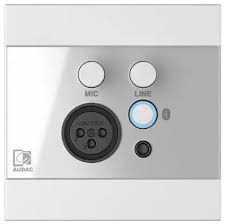
  • Press the button indicated to start Bluetooth:
  • You should connect your phone/laptop to the device named ‘WP225’
  • You will then be able to play music from your phone/laptop and also control the volume level.

Please note:

  • Connect to our wifi first to improve streaming
  • You will need to keep your bluetooth device within range of our amplifier

Alternatively, you can connect by cable:

The Bluetooth connection box and the box beneath it also have sockets to connect via:

3.5mm jack

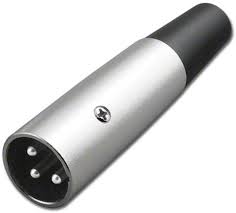
3 pin XLR microphone plug:
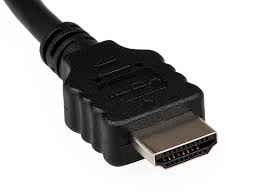
Or HDMI:
How to use the main hall Audio Visual System?

Please review our BVH Audio Visual system user guide

  • About
  • FAQ
  • Legal